
⚠️ Your image got flagged as AI-generated. Now what?
You posted an image. Instagram slapped an "AI generated" label on it. Or Google's detector flagged it.
You created it. You own it. But the detector doesn't care. 🤔
If you're searching for how to remove AI detection from an image, how to bypass AI image detectors, or how to fix an AI-flagged photo — this is the tool.
AI image detectors are everywhere now — Instagram, Google, Facebook, and more. They use invisible watermarks like SynthID, metadata fingerprints, and statistical patterns to flag images automatically.
The problem? These detectors don't understand context. They don't know you own the image. They don't care about your rights. They just flag and restrict. 👀
🚀 Forensic Cleaner: Take back control of your images
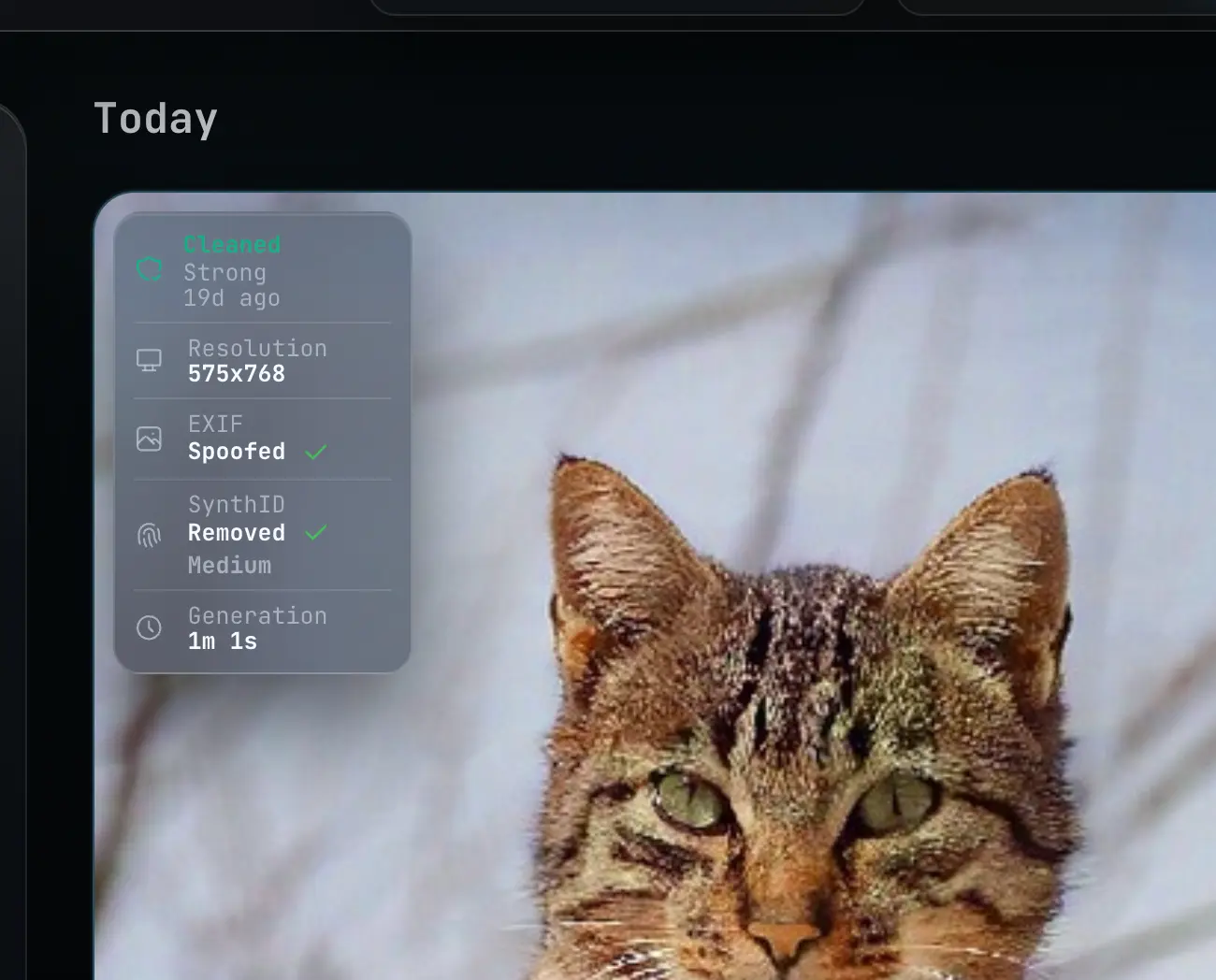
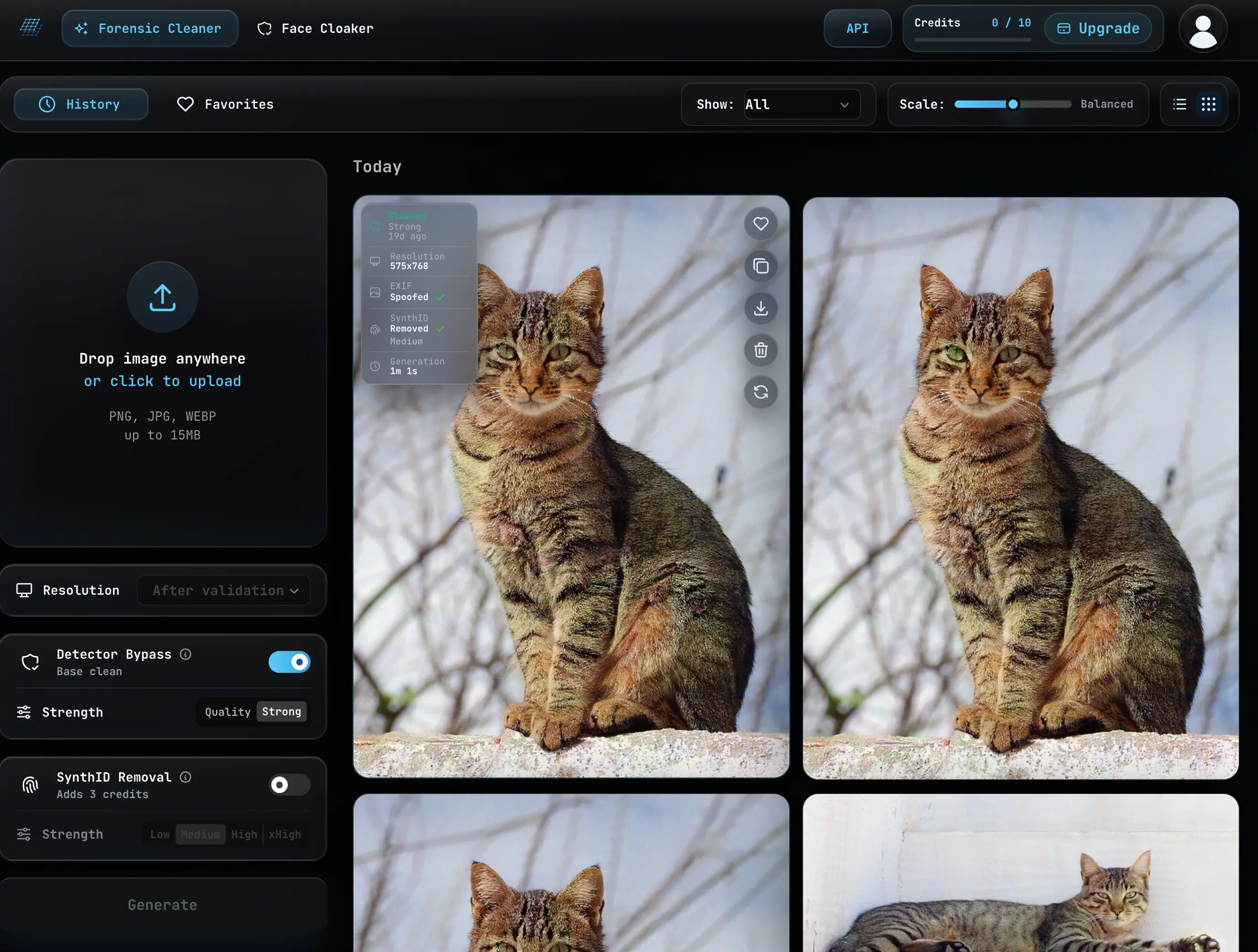
Forensic Cleaner by Two Tensors turns AI image detector bypass into a repeatable workflow. Upload, validate, clean, export. That's it.
Unlike other tools that destroy your image or turn it into something unrecognizable, Forensic Cleaner is designed to reduce detector-facing signals while preserving visual similarity. Your image still looks like your image. 🙂
How it works — 4 simple steps
01
Upload an image
Start with a PNG, JPG, or WEBP. Drop it right into the app after sign-in.
02
Validate detector risk
Forensic Cleaner checks dimensions, runs safety validation, and estimates bypass difficulty with an AI slop score.
03
Run the bypass
Use Strong mode for more aggressive detector-signal reduction, or Quality mode on paid plans for a gentler result.
04
Export the cleaned image
Download, copy, favorite, rerun, or delete cleaned outputs from your account history.
🔒 Built for image ownership
Your images should not be governed by someone else's detector.
If you own the rights to an image, you should have practical control over where it can be used. Forensic Cleaner helps reduce the detector-facing signals that can cause automated systems to score, restrict, or moderate your work without understanding its context.
🎨 Keep control of your work
Upload images you have the right to use, review validation, choose a bypass setting, and export a cleaner result.
🛡️ Reduce automated overreach
Bypassing helps lower brittle AI-detector signals so platforms and tools are less likely to judge your image by hidden fingerprints alone.
🔐 Stay private at scale
Use the web app or Pro and Ultra API access to validate, bypass, download, and delete images inside your own workflow.
🧬 SynthID Removal
Google's SynthID is an invisible AI watermark — not a little logo in the corner. It's embedded in images generated by Gemini, Imagen, and other Google AI tools.
Forensic Cleaner adds a SynthID bypass step before the normal AI image cleaner, so Gemini, Imagen, and other generated images can be cleaned for detector-facing signals without turning the image into a different work.
SynthID-only processing costs 3 credits. Keep Detector Bypass enabled for the full cleanup chain, or turn it off when you only want the SynthID output.
📊 Detector results and limits
In internal testing, Forensic Cleaner measured about a 90% clean rate across three popular AI image detectors. Results can vary by image type and detector updates, so the product is designed around broad signal reduction instead of guaranteeing invisibility or chasing one named detector.
- Results vary by image, detector, and third-party detector updates.
- Forensic Cleaner reduces detector-facing signals; it does not guarantee invisibility.
- Fraud, impersonation, non-consensual imagery, and illegal uses are prohibited.
� Acceptable Use — This is NOT for fraud
Forensic Cleaner is for images you OWN. Not for deception, fraud, or illegal activity.
By using Forensic Cleaner you agree to the Two Tensors Terms of Service.
You must NOT use Forensic Cleaner to:
- ❌ Process images that are illegal in your jurisdiction or where the service operates.
- ❌ Process content that depicts, sexualizes, or exploits minors in any way, including CSAM.
- ❌ Process images that infringe on others' intellectual property — copyrights, trademarks, rights of publicity, or privacy.
- ❌ Process images you do not own or do not have a valid license to use.
- ❌ Process images of a real, identifiable person without their consent — including non-consensual intimate imagery, deepfakes, or impersonation.
- ❌ Use the service to promote violence, terrorism, self-harm, or to harass, threaten, defame, or stalk any person or group.
- ❌ Use the service to deceive, defraud, or mislead — including disinformation, fake identity documents, forged signatures, or counterfeit goods.
- ❌ Attempt to circumvent safety filters, rate limits, access controls, or reverse-engineer the service.
You CAN use Forensic Cleaner to:
- ✅ Clean detector signals from images you created or generated yourself.
- ✅ Reduce AI fingerprints on images you own or have licensed for your workflow.
- ✅ Maintain creative control and privacy over your own work.
- ✅ Prevent automated overreach from flagging your legitimate content.
Plans and API
Start with upload credits, scale into higher resolution and automation.
Two Tensors offers a free tier, paid subscriptions, credit packs, card checkout, and cryptocurrency payment options. Pro and Ultra plans include API access for AI image detector bypass workflows.
🆓 Free start
Try the cleaner with included credits and a lower resolution cap.
💼 Paid creator plans
Upgrade for more monthly credits, higher concurrency, and stronger workflow flexibility.
⚡ Programmatic access
Use API tokens on Pro and Ultra for upload, validation, bypass, status, download, and deletion workflows.
❓ FAQ — AI image detector bypass questions
How do I bypass AI image detection?
Upload a PNG, JPG, or WEBP image to Forensic Cleaner, validate it, choose a cleaning strength, and export a cleaned result. The workflow is designed to reduce AI-image detector signals while keeping the output visually close to the original.
Does Forensic Cleaner guarantee an image will pass every detector?
No. Detector results vary by image, detector, and model updates. Forensic Cleaner reduces detector-facing signals, but it does not promise invisibility or guaranteed results across every third-party system.
Will the cleaned image still look like my original?
The bypass model is optimized for visual similarity, so the output should stay close to the source image rather than becoming a full rewrite. More aggressive cleaning can still introduce visible artifacts on some images.
What is the AI slop score?
The AI slop score estimates how difficult an uploaded image may be to clean for detector bypass. Lower scores are usually easier; higher scores may need stronger settings or may produce less reliable results.
What is Strong mode?
Strong mode cleans more aggressively for a better bypass rate. Quality mode is gentler and can preserve appearance better, but it may reduce detector signals less often.
Can I automate AI image detector bypass with the API?
Yes. Pro and Ultra plans include API access for upload, validation, bypass creation, status polling, download, and deletion workflows.
What uses are not allowed?
Fraud, impersonation, non-consensual imagery, illegal activity, and attempts to mislead people about identity or consent are prohibited. Forensic Cleaner is for legitimate creator, privacy, and workflow use.
How reliable is AI image detector bypass?
In internal testing, Forensic Cleaner measured about a 90% clean rate across three popular AI image detectors. Results can vary by image type and detector updates, so the product is designed around broad signal reduction instead of guaranteeing invisibility or chasing one named detector.
What is SynthID and how do I remove it?
SynthID is an invisible AI watermark by Google DeepMind, embedded in images from Gemini, Imagen, and other tools. Enable SynthID Removal in Forensic Cleaner before running the cleaning job. SynthID-only processing costs 3 credits. For API users, pass remove_synthid_watermark: true when creating a bypass job.
For data handling details, read the Privacy Policy. For use restrictions, read the Safety Guidelines.